

Record looking straight at the camera
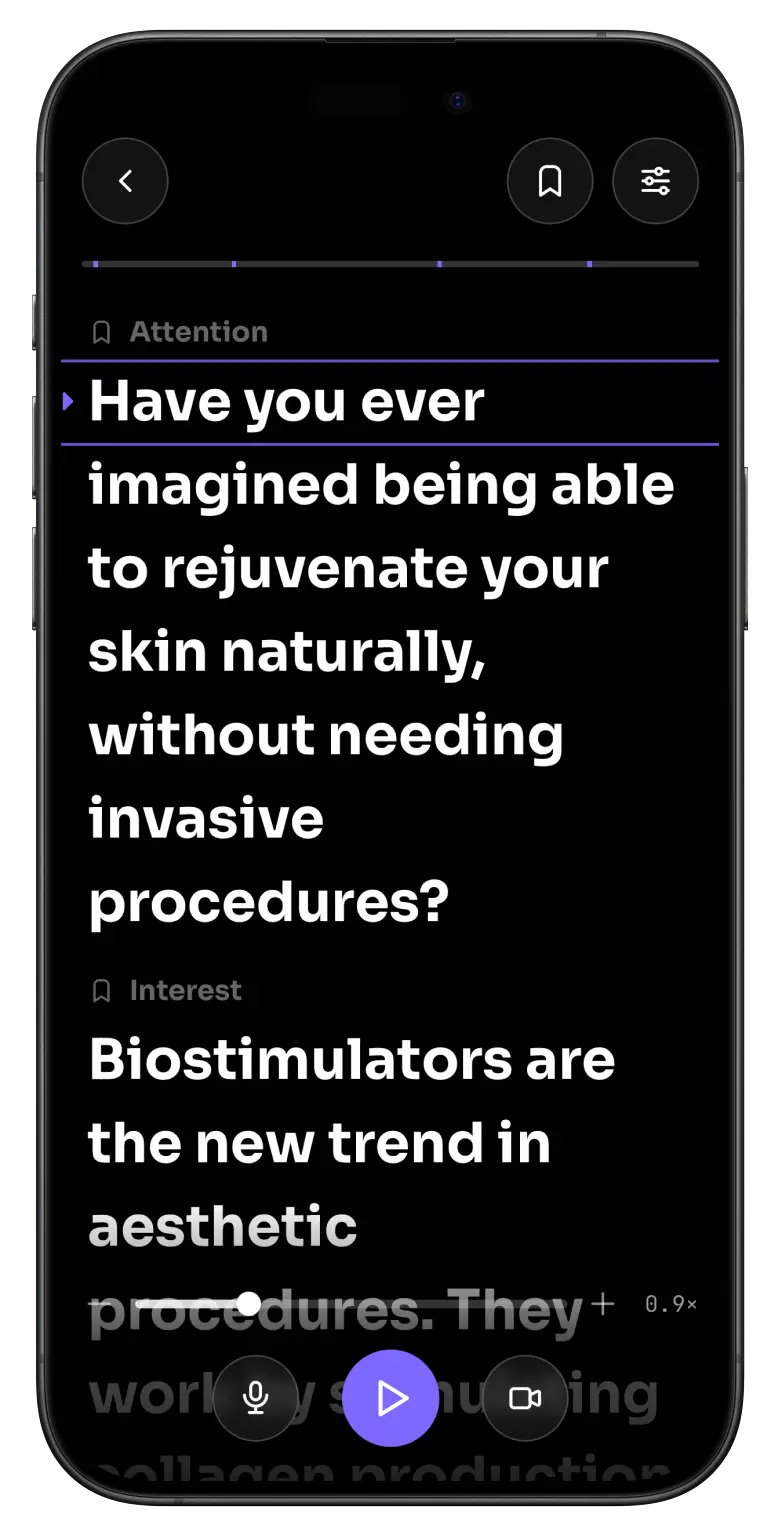
Write your script and the text scrolls at the exact pace you talk. No freezing, no glancing down, no juggling five apps to post one video.
Free to start · 7-day Pro trial · Cancel anytime
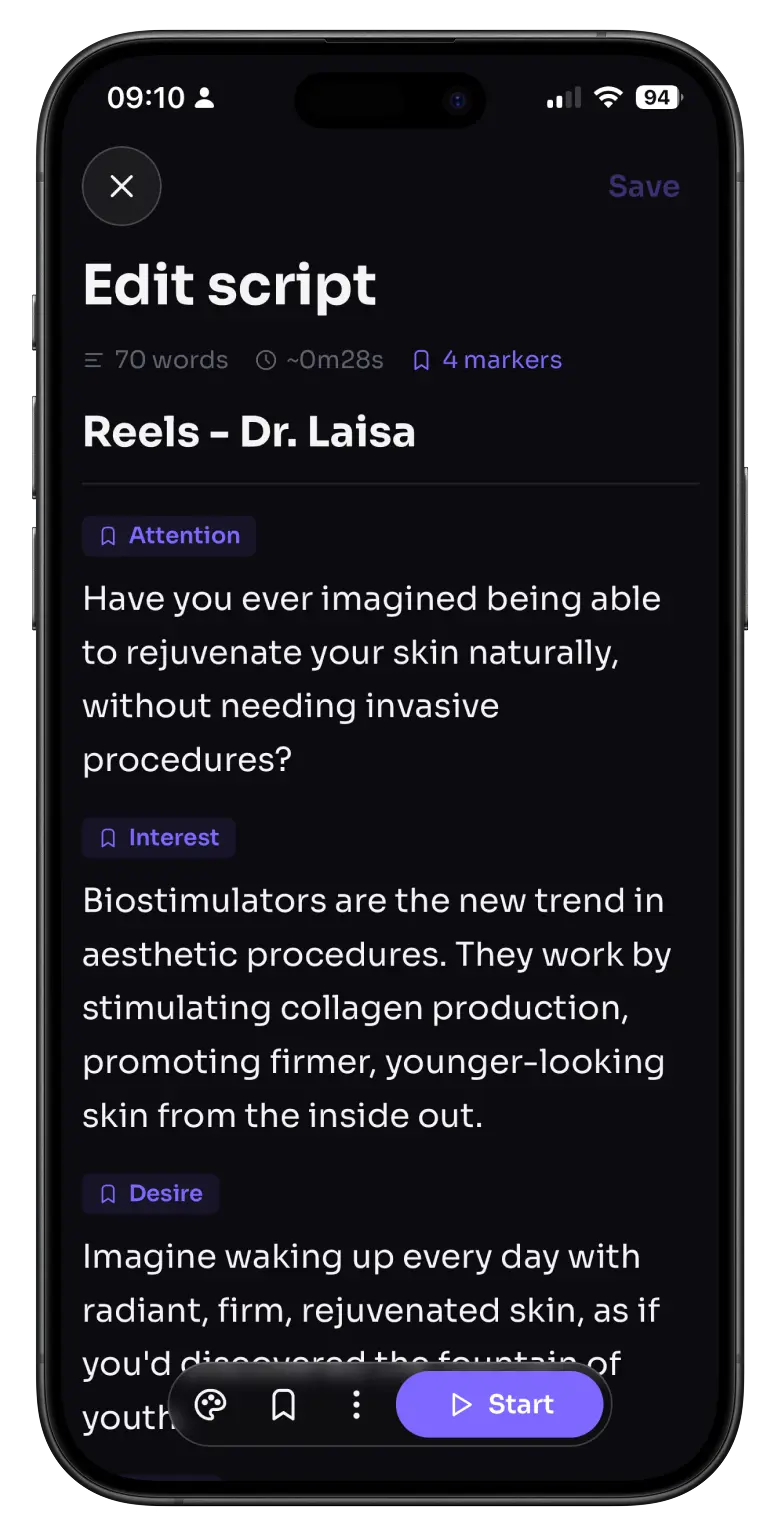
Recording shouldn't feel like a fight
Talking is the easy part. It's everything around it that gets in the way.
You freeze the second you hit record
You forget your next line, look down at your notes, and you're already on take 12.
Five apps just to post one video
One to write, one to read, one to film, one to edit.
A normal teleprompter makes you sound like a robot
The text runs at its own pace, you rush to keep up, and it shows on camera.
Promperly fixes all three.
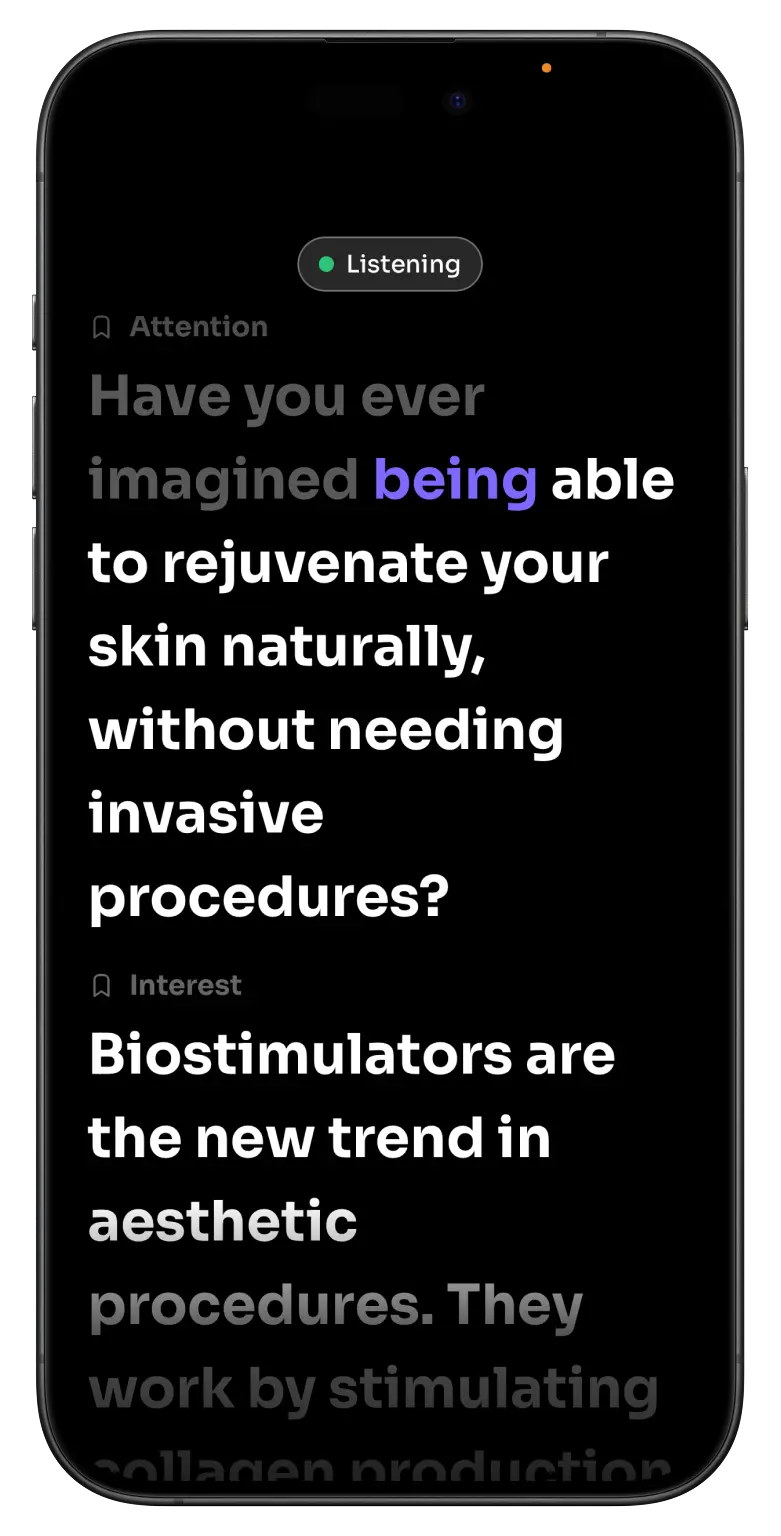
Your voice controls the scroll
VoiceScroll moves the text at the exact pace you speak. Slow down, speed up, or go off-script and it stays right with you. No remote, no rushing. Just talk.
Your audio stays private
Promperly never records or keeps your audio. Want it fully offline? Turn on on-device recognition.
Pauses when you improvise
Riff, tell a story, answer a question. It waits and picks back up when you return to the script.
Tuned to the way you read
Set how far ahead it runs, how far you can stray from the script and where on screen you read. Add tricky names and brands to a script so it stops tripping on them.
Understands 6 languages
Portuguese, English, Spanish, French, Italian and German. The app itself is in Portuguese and English.
From blank page to finished video
No more jumping between apps to record one video.
4K recording
Record in the app with your script on screen, in 4K, Full HD or HD. Countdown to start, auto-finish when the script ends, and the video lands in your gallery.
Collections
Group scripts by client, project or series, each with its own color and icon. Select several at once to move them, and search finds any script in seconds.
Voice dictation
Talk instead of typing. Your words land in the script as you speak, right where the cursor is.
Section markers
Split long scripts into parts and jump between them while you record.
Mirror mode
Flip the text for mirror setups, so it reads right in the reflection. You can mirror the recorded video too.
Make it yours
Colors, fonts, sizes and spacing, in light or dark theme. Set the text however reads best for you.
Export your scripts
Save one script or all of them as TXT or PDF, to share, reuse or keep a safe backup.
Saved profiles
Save your look and speed for each client or type of video, ready in one tap.
Works offline
Write, scroll and record with no connection. Your scripts are always ready.
Cloud sync
Your scripts and settings stay safe, even if you reinstall.
Remote control
Start, pause and adjust the scroll from another device while you record.
Import files
Bring in scripts you already wrote from your notes or documents, no retyping.
One teleprompter, every video you make
Recording in three steps
Use it as a teleprompter next to your camera, or record right in the app.
Write your script
Type, paste or dictate your text and style it the way you read best.
Press play
The text scrolls on screen and VoiceScroll follows your voice, completely hands-free.
Record your way
Record inside the app in 4K, or use Promperly next to any camera you like.
Start free, go Pro when you're ready
Try it free. Go Pro for VoiceScroll, recording, collections and everything else.
Free
The basics to read your script on camera.
- Up to 3 scripts
- Teleprompter with auto-scroll
- Voice dictation to write scripts
- Portuguese and English
Pro
Everything unlocked, for creators and social media pros who post every day.
- Everything in Free
- VoiceScroll, the scroll that follows your voice, in 6 languages
- Built-in 4K recording
- Unlimited scripts and section markers
- Collections to organize scripts by client
- Mirror mode
- Custom colors, fonts and sizes
- Export your scripts as TXT or PDF
7-day Pro trial. Cancel anytime, right from the App Store.
Questions, answered
Everything you might want to know before you hit record.
Does Promperly listen to my audio?
Promperly never records or stores your audio. To follow your voice, VoiceScroll uses Apple's and Google's built-in speech recognition, which processes the audio to keep the text in sync. Prefer to keep everything offline? Switch to on-device recognition in settings.
Do I have to touch anything while recording?
No. VoiceScroll follows your voice and scrolls on its own. Hands-free, no remote needed.
Can I record the video inside the app?
Yes. Record in up to 4K with your script on screen, and the video goes straight to your gallery.
Can I organize scripts by client or project?
Yes. With Pro you group scripts into collections, each with its own name, color and icon, like one per client, project or series. Search finds any script in every collection.
Can I dictate my scripts instead of typing?
Yes, on every plan. Tap the microphone in the editor and the text appears as you speak, with punctuation. Pause, move the cursor and keep going. Promperly never records or stores your audio.
Which languages does it support?
The app and voice dictation are in Portuguese and English. VoiceScroll follows your voice in six languages: Portuguese, English, Spanish, French, Italian and German, and you can switch without leaving the app.
Do I need an internet connection?
Writing, the teleprompter and recording all work fully offline. VoiceScroll uses cloud recognition by default, so it needs a connection, but you can switch to on-device recognition to run it offline too.
Does it work on iPad?
Yes. Promperly is built for iPad too, with a wider reading column, text up to 120pt and support for Split View. It works in any orientation, and your scripts and profiles follow you between iPhone and iPad.
Is it on Android?
Promperly is on iPhone and iPad for now. Android is on the way.


Ready to record without freezing up?
Download Promperly and record your next video today.
Free to start · 7-day Pro trial · Cancel anytime